
The ICIA (International Communications Industry Association) Academy Online is a training and certification program for Audio and Video industry employees. The media is presented via a hybrid of CD-Rom and Web Site material. Users log in with a password to the site while having the CD-Rom mounted on their computer, with links to Video clips, Audio files, and Graphics that would take too long to download. The project is designed to run within the Microsoft Internet Explorer browser on a PC. This combination allows for the best video playback, with the clips appearing almost immediately as needed.
The site uses Aestiva HTMLOS in the background to provide programming features beyond what is normally available with HTML. The Aestiva programming environment is significantly easier to learn compared to CGI/Perl. Philip Kelly Denslow, as a member of the Upstream Multimedia team, was responsible for the Aesiva programming and for animated technical illustrations.
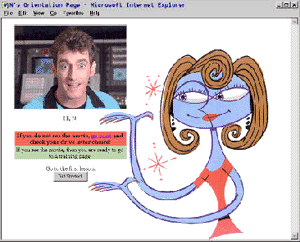 This is the opening screen after logging into the site.
The video is of a host/commedian who reappears throughout the project to introduce each section and demonstrate some of the concepts. This also serves a check to see if the user has entered the correct disc drive designation for the CD-Rom and that the CD-Rom is working.
When the user logs in for the first time, a syllabus is created that lists all the lessons to be used in the version of the course that is indicated in the user's profile. Each time the user logs in afterward, the program starts with the next un-viewed lesson in the syllabus.
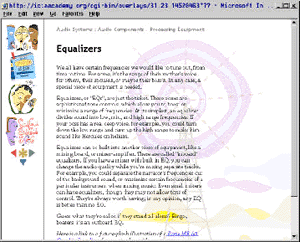 This is a typical lesson page.
The navigation bar on the left has clickable icons for a Bulletin Board, a Progress Map, Quiz Me tests, and a Study Guide. Below that are forward, back, exit, and return to lesson buttons.
The first set of lessons are about how to use the program, optomizing the browser settings, and internet issues. This is followed by an Industry Overview and then lessons on Audio, Video, Display, and Systems.
As a program, there is actually only one lesson page, with text files for each lesson loaded into it as needed. The user's syllabus keeps track of which lessons have been viewed and which have been tested on. The user can jump to lessons needing review via the Study Guide, or jump to another section via the Progress Map.
The text of the lesson is converted upon loading to provide links to words in a glossary. If the user clicks on such a word, the page is refreshed with the definition appearing after the word in the text. Clicking it again causes the definition to disappear.
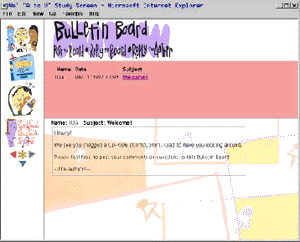 This is the Bulletin Board area.
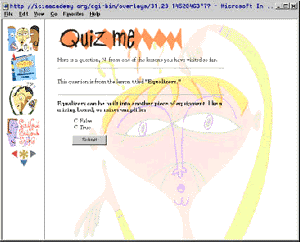 This is the Quiz Me page.